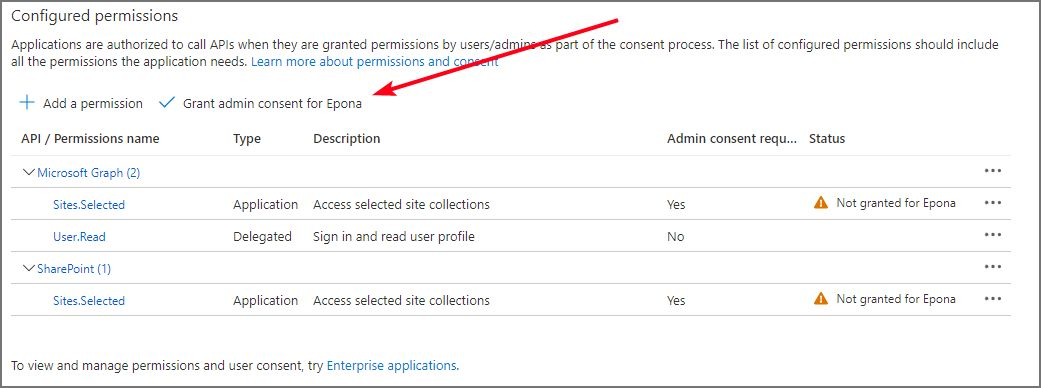
# API permissions registered application
# Requirements
Depending on the requirements, the following API Application permissions with admin consent need to be configured
Keep in mind that Microsoft does not support all Graph API calls when using a certificate for authentication. In that case, SharePoint API permissions are needed also.
The following permissions are needed, if the site provisioning service needs to:
Create new document libraries within one or more site collections
- Microsoft Graph Sites.Selected
- SharePoint Sites.Selected (certificate)
Create new site collections
- Microsoft Graph Sites.FullControl.All
- Microsoft Graph TermStore.ReadWrite.All
- SharePoint Sites.FullControl.All (certificate)
- SharePoint TermStore.ReadWrite.All
Create new site collections via Graph (
UseGraphSiteCreationenabled)- Microsoft Graph Sites.Create.All
- Microsoft Graph TermStore.ReadWrite.All
- SharePoint TermStore.ReadWrite.All
This is the recommended approach for new deployments. It replaces
Sites.FullControl.AllwithSites.Create.All, reducing the permission footprint. After creation, the app automatically receivesSites.SelectedwithFullControlon the new site. SeeUseGraphSiteCreationin Site Collection Configuration.Create new Office365 groups
- Microsoft Graph Group.ReadWrite.All
- Microsoft Graph Sites.FullControl.All
- Microsoft Graph TermStore.ReadWrite.All
- Microsoft Graph User.Read.All
- SharePoint Sites.FullControl.All (certificate)
- SharePoint TermStore.ReadWrite.All
Create new Teams
- Microsoft Graph Group.ReadWrite.All
- Microsoft Graph Sites.FullControl.All
- Microsoft Graph Team.Create
- Microsoft Graph TermStore.ReadWrite.All
- Microsoft Graph User.Read.All
- SharePoint Sites.FullControl.All (certificate)
- SharePoint TermStore.ReadWrite.All
- Additional Team permissions might be needed. Discuss your requirements with your Epona implementation consultant
# Configuration
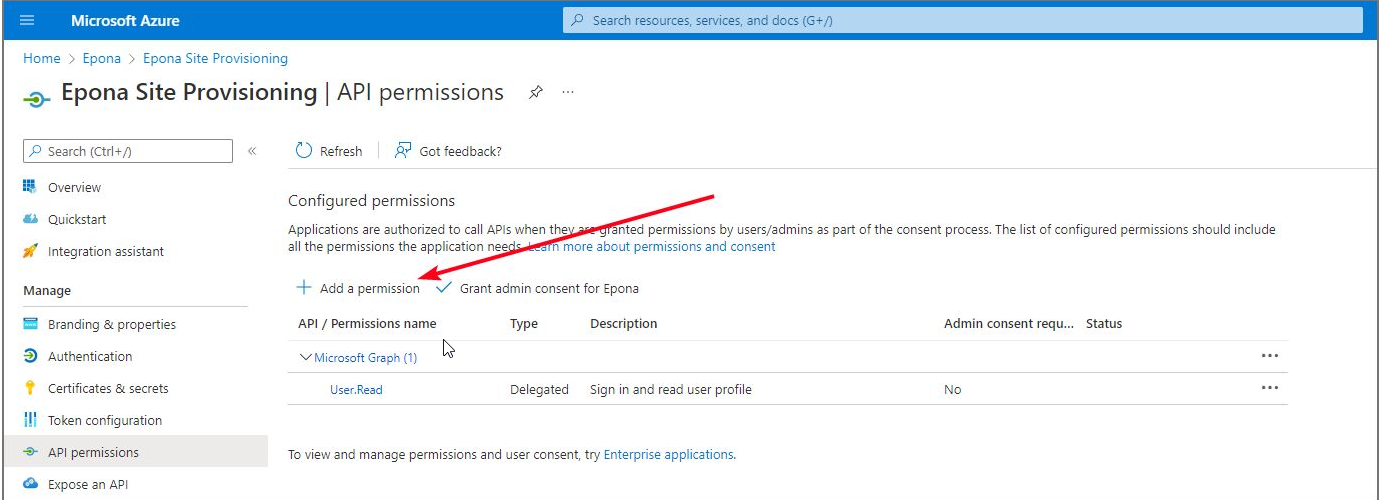
1.Click "+ Add a permission"
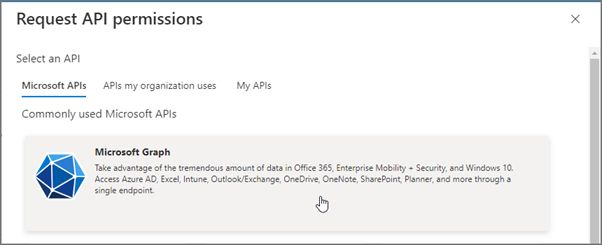
2.Click "Microsoft Graph"
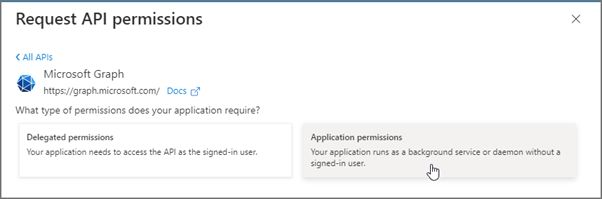
3.Click "Application permissions"
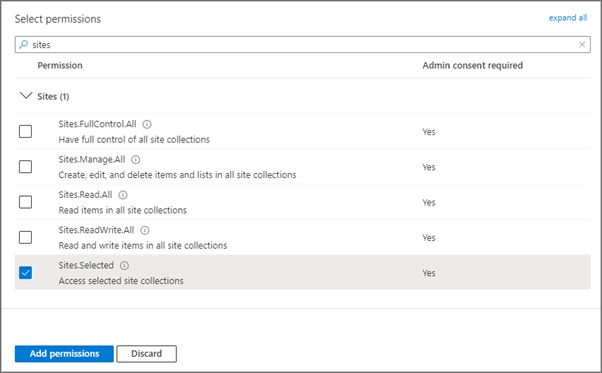
4.Search for the correct permissions, click the checkbox and click "Add permissions"
5.After adding the required permissions, grant admin consent for your tenant